Emergency Procedure
In the event of an emergency, it is crucial to have clear, immediate procedures to halt the operations of the BioDryer. This section outlines the necessary steps and mechanisms in place for an emergency shutdown, ensuring the safety of personnel and preventing potential damage to the equipment.
It is vital for all operators and personnel to be familiar with the locations and operations of these emergency stop mechanisms. Regular training and drills should be conducted to ensure that in the event of an emergency, all individuals can respond quickly and effectively to mitigate risks and protect both themselves and the equipment.
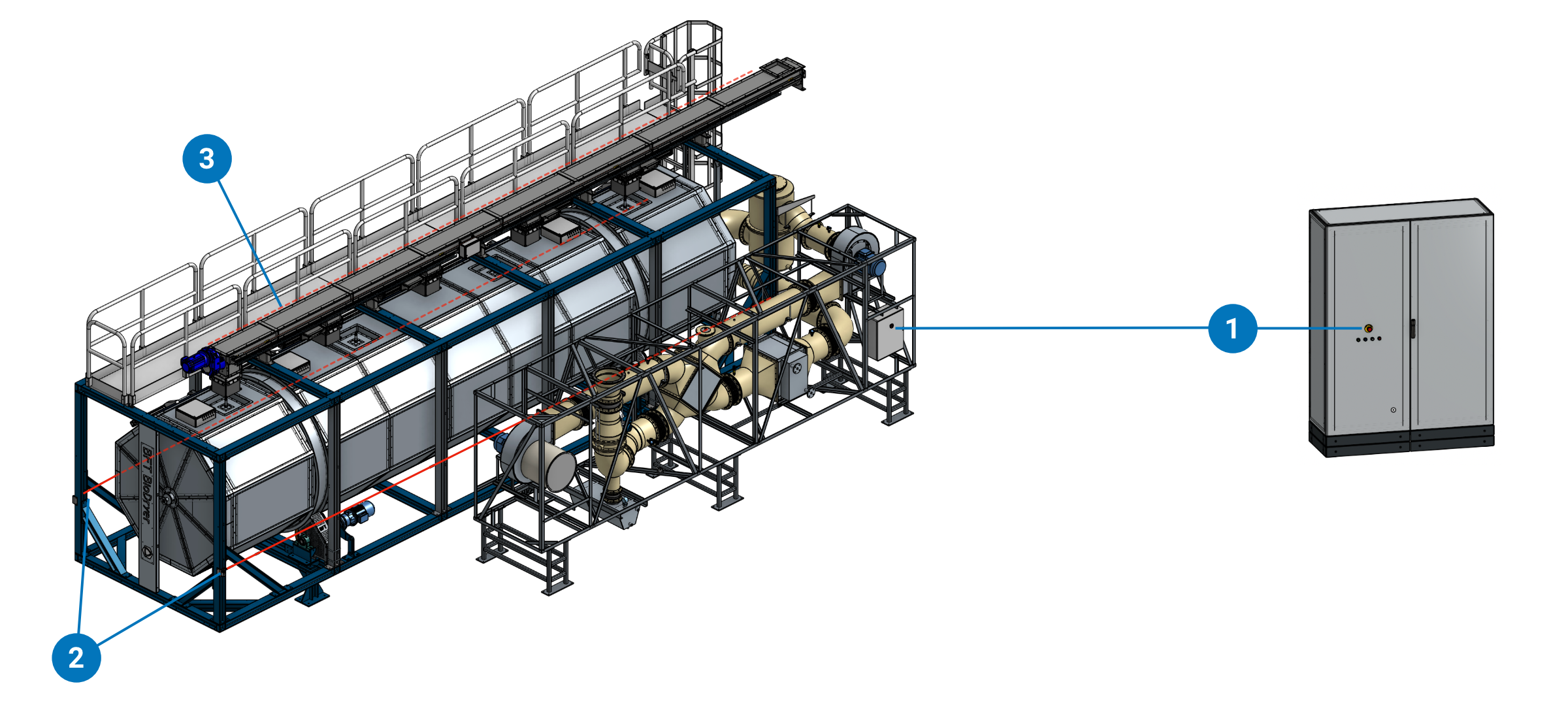
(1) Emergency Buttons
(2) Emergency Ropes on the side of the BioDryer Skid
(3) Emergency Rope on the side of the Screw Conveyor
Emergency Stop Buttons
The BioDryer is equipped with two emergency stop buttons:
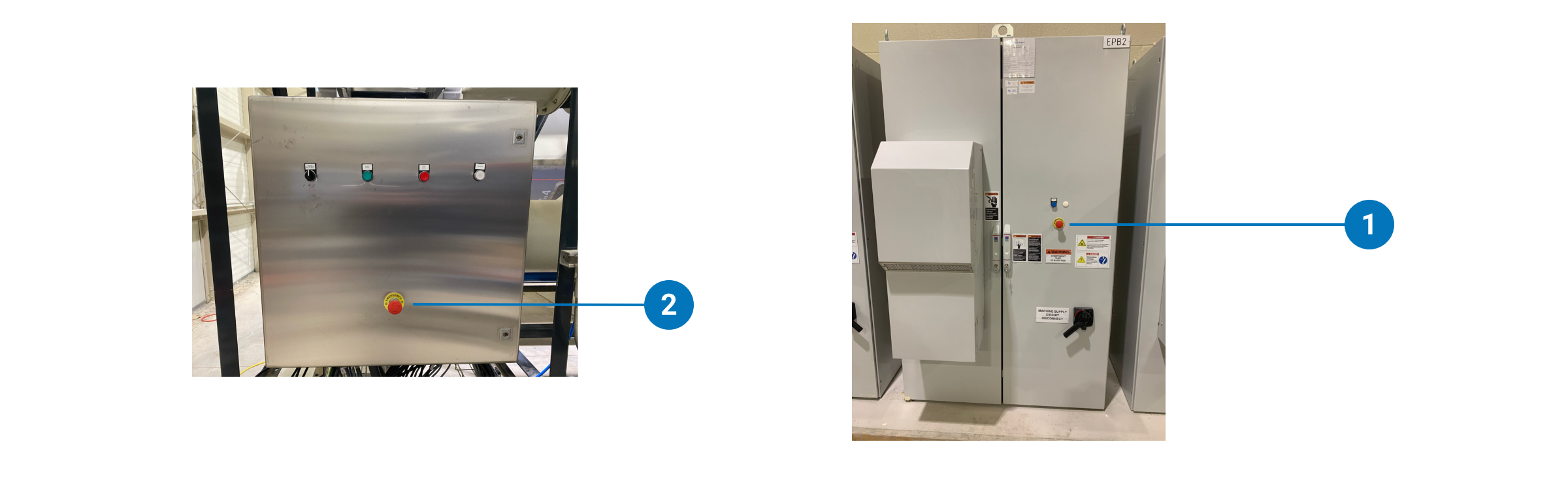
- Control Panel Emergency Button: Located on the control panel, this button is easily accessible and should be used to quickly cease all operations of the BioDryer.
- AirSkid Junction Box Emergency Button: This additional emergency stop is located on the AirSkid Junction Box. It serves as a secondary option to immediately discontinue the BioDryer's operations in case the primary button on the control panel is inaccessible.
Emergency Pull Ropes
There are three emergency pull ropes strategically placed around the BioDryer:
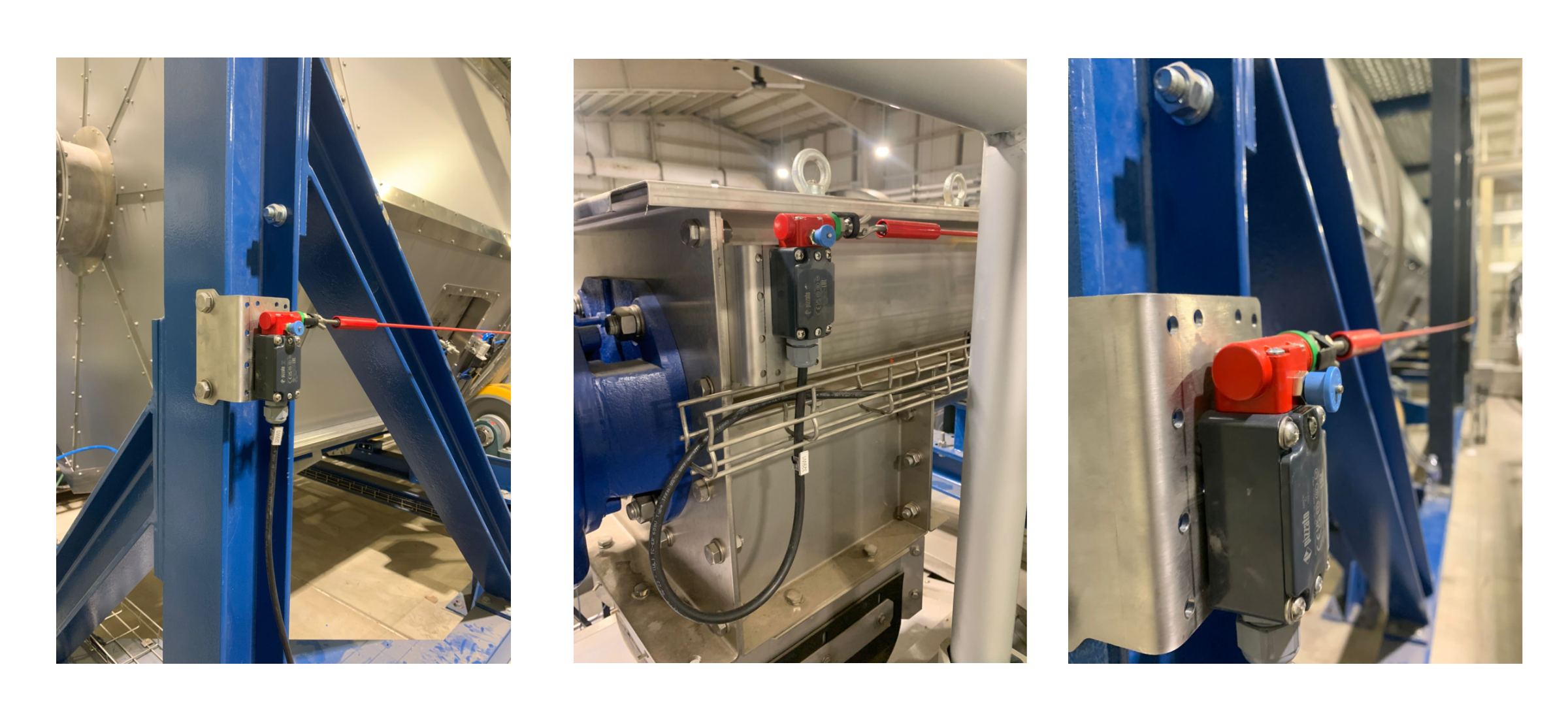
Main Rotating Body Skid Ropes: Two ropes are located on either side of the main rotating body skid. Screw Conveyor Rope: The third rope is situated on the screw conveyor atop the BioDryer. Pulling any of these ropes will instantly stop all motors and de-energize all valves, effectively bringing the BioDryer to a complete halt.
Safety System Engagement Indicator
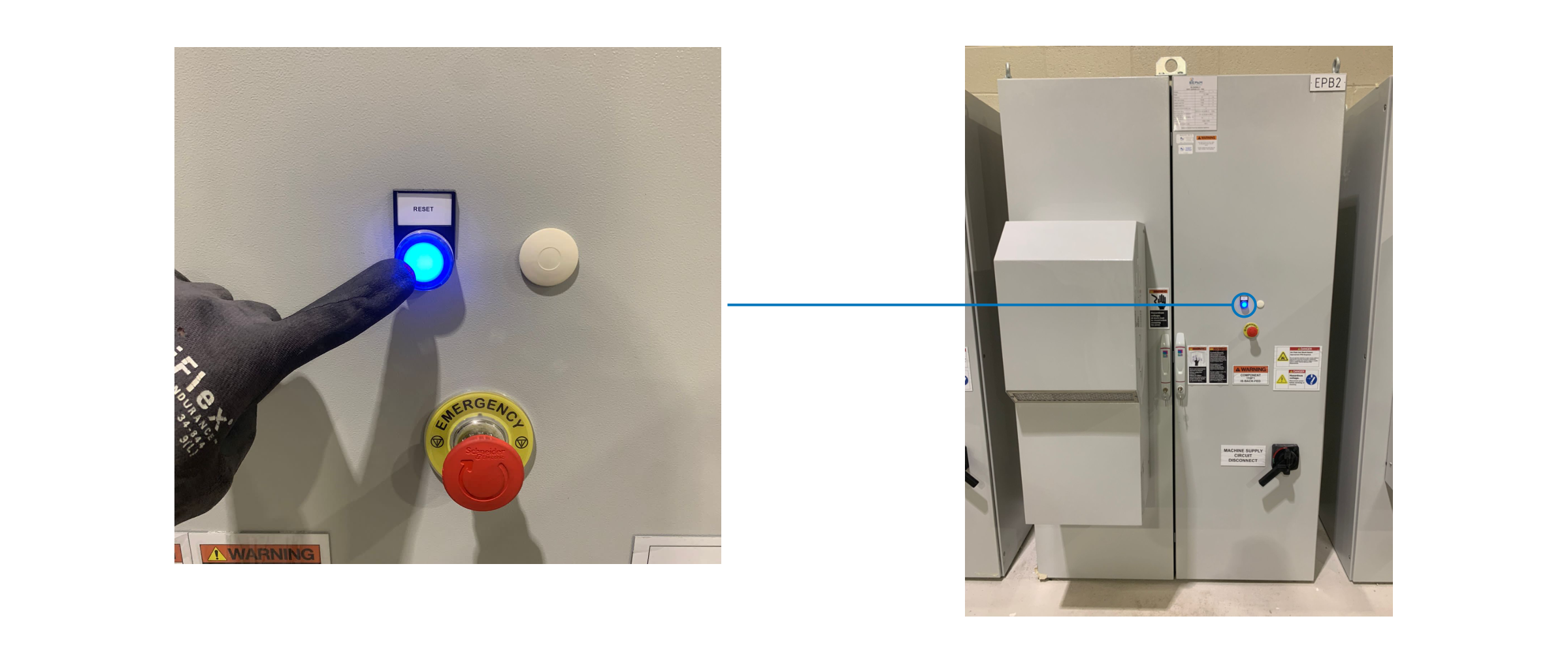
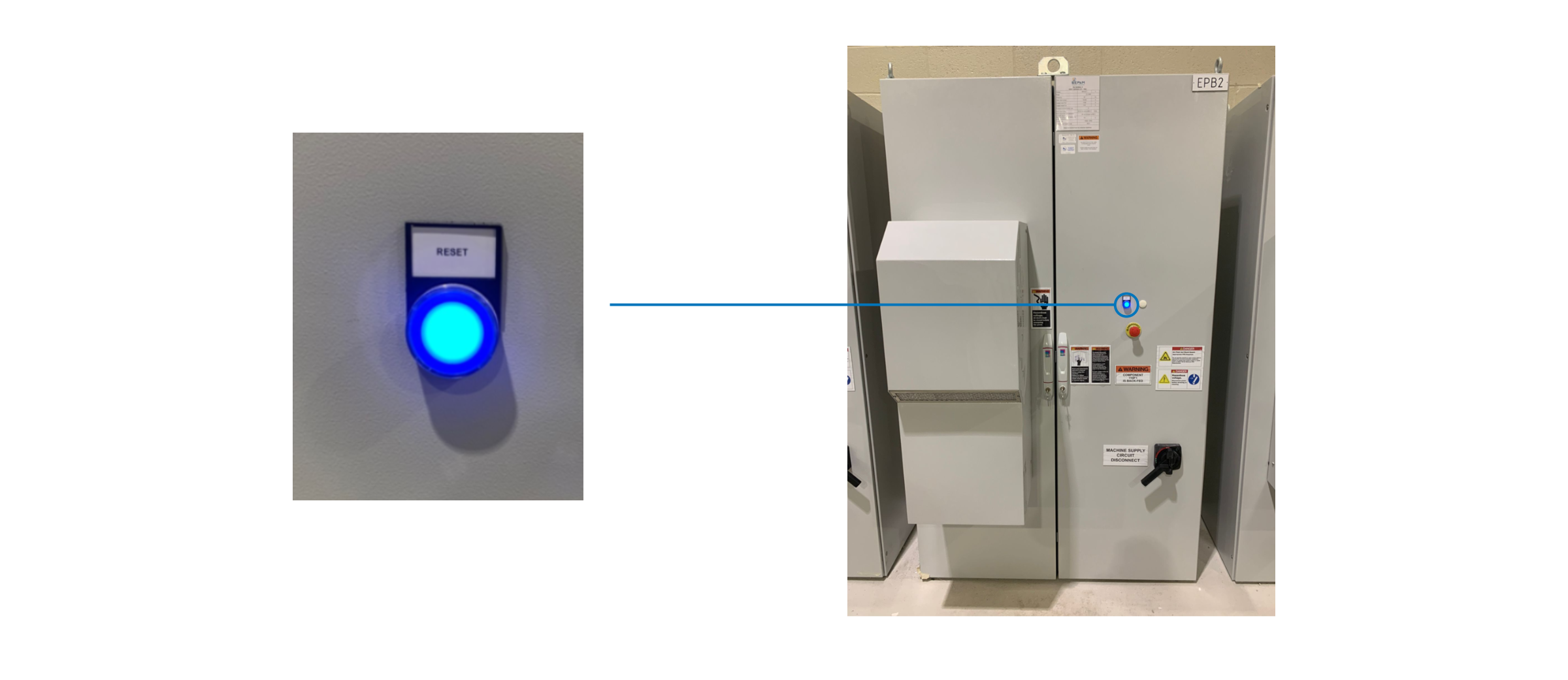
Upon activation of the emergency shutdown (either through the emergency buttons or pull ropes), an electro-mechanical safety system engages. This activation is visually indicated by the illumination of a blue button on the control panel. The lighting of this blue button is a critical signal indicating that the safety system is engaged and the BioDryer has been successfully shut down in response to an emergency.
Resetting Equipment
Before resetting the emergency status on the BioDryer, it is imperative to ensure the absolute safety of the area surrounding the unit. Confirm that no person is within a 3-foot radius of the BioDryer. Resetting the emergency status may reactivate the automatic operational cycle and set machinery in motion. This sudden reactivation of moving parts can be extremely hazardous and pose a serious risk to anyone in the immediate vicinity.
Take these precautionary steps diligently:
- Visual Inspection: Perform a thorough visual check to confirm that the area around the BioDryer is clear of personnel and potential obstructions.
- Verbal Communication: Clearly communicate with all team members in the area, ensuring everyone is aware of the intention to reset the emergency status and the implications of this action.
- Safety Confirmation: Double-check that all safety measures are in place and that it is indeed safe to proceed with resetting the system.
Remember, safety is paramount. The reactivation of the BioDryer's machinery should only be undertaken when you are absolutely certain that it is safe to do so. Neglecting this crucial precaution could lead to accidents and injuries. Always prioritize the well-being of all personnel by adhering to these safety protocols.
Please ensure that any cause for emergency has been removed from the environment before restarting machines.
Emergency Button Reset
To reset the emergency status of the BioDryer, it is essential to follow a systematic and thorough approach to ensure the safety and proper functioning of the equipment. Here are the steps to be taken:
- Identify and Resolve the Cause of the Emergency Status:
- Utilize the HMI (Human-Machine Interface) panel to determine what triggered the emergency status. The panel provides a list of alarms along with explanations, aiding in pinpointing the specific issue.
- Be aware that every time power is removed from the panel and then restored, the emergency system requires a manual reset. This could be a common reason for the emergency status.
- Locate and Disengage the Triggered Emergency Mechanism:
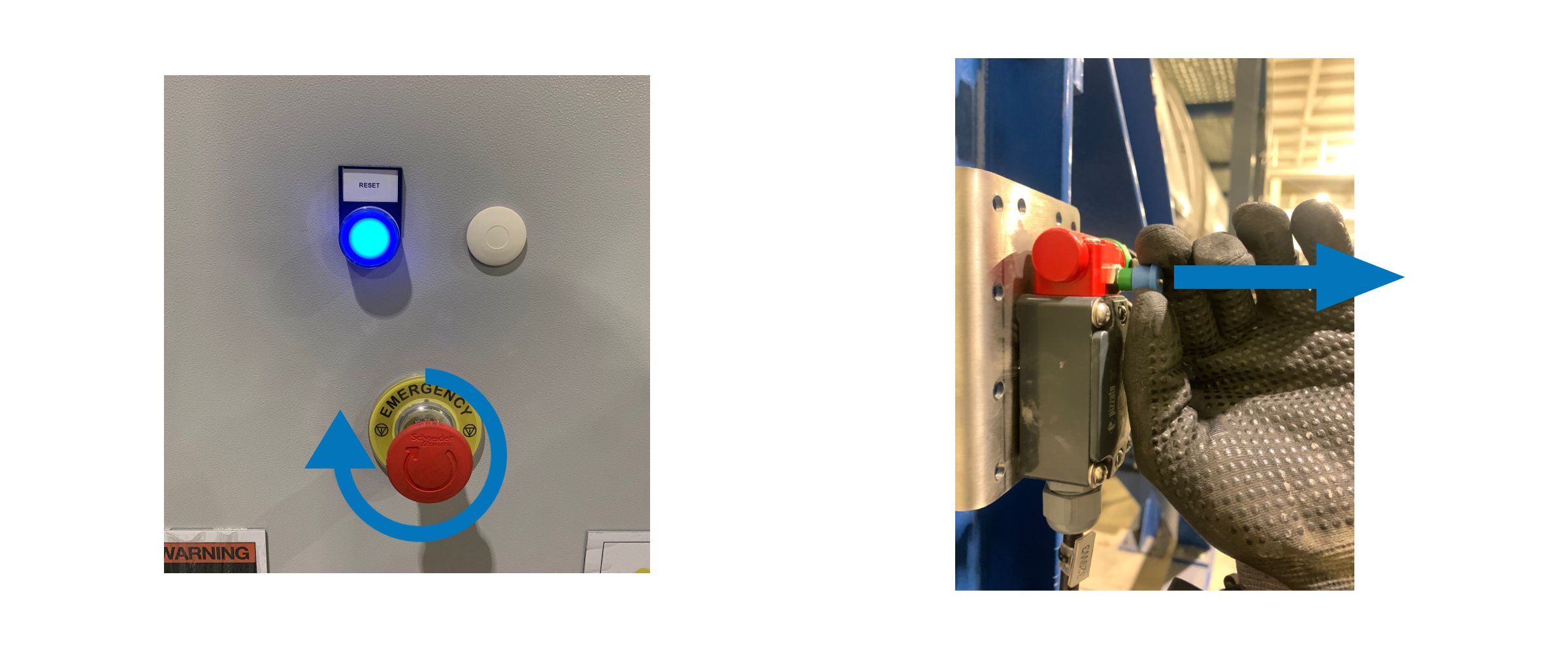
- Inspect both emergency buttons. If they are pressed down, they are in the engaged position (refer to the image below for clarification). To disengage, twist the button or pull it towards you.
- Examine the emergency rope activation mechanisms. They are engaged if the lever does not show the green portion (see the provided image for reference).
- Reset the Emergency System:
- Once the cause of the emergency has been resolved and all emergency mechanisms have been disengaged, press the blue button on the control panel.
- If the system successfully returns to operational mode, the blue light on the control panel will turn off, indicating that the BioDryer is no longer in emergency status.