
Operating the BioDryer
Welcome to the section dedicated to operating the BioDryer. The primary goal of successfully operating the BioDryer is to efficiently dry biosolids, maximizing the throughput in terms of tons per year. Achieving this objective is central to the performance and productivity of your facility.
The BioDryer has been meticulously designed to facilitate mostly automated operations, minimizing the need for human intervention. This automation is a key feature, ensuring consistent and efficient processing of biosolids. However, the system also offers flexibility. Operators have the option to manually control various components, allowing for full operational control when needed. This dual capability ensures that the BioDryer can adapt to a wide range of situations and requirements.
A custom-designed web interface serves as the primary tool for all setup procedures, data visualization, and operational controls. This interface is user-friendly and intuitive, providing operators with easy access to all the necessary information and controls to efficiently manage the BioDryer. Through this interface, you can monitor system performance, adjust settings, and engage with the BioDryer's various functionalities.
Before operating the BioDryer, it is essential that you thoroughly read and understand the introduction to this manual and, most importantly, the safety section. Familiarizing yourself with these parts of the manual is crucial for ensuring a safe and effective operation of the BioDryer. Neglecting to do so could result in improper handling of the equipment, leading to potential safety hazards or operational errors. Your awareness and adherence to these guidelines are paramount for a safe and efficient work environment.
In this section, we will guide you through the various aspects of operating the BioDryer, from starting up the system and managing its automatic functions to taking manual control when necessary. Whether you're aiming to optimize the drying process, troubleshoot issues, or fine-tune operational parameters, understanding how to effectively operate the BioDryer is key to maximizing its performance and productivity.
How to access the HMI and login
To gain access to the HMI control panel for the BioDryer, please ensure your device is connected to the local network via WiFi or Ethernet—the same network to which the BioDryer control panel is connected. The specific link to the control panel will be provided to you by your network manager or by Bioforcetech. Once you have the link:
- Open a web browser, preferably Chrome for optimal compatibility.
- Enter the provided link into the browser’s address bar.
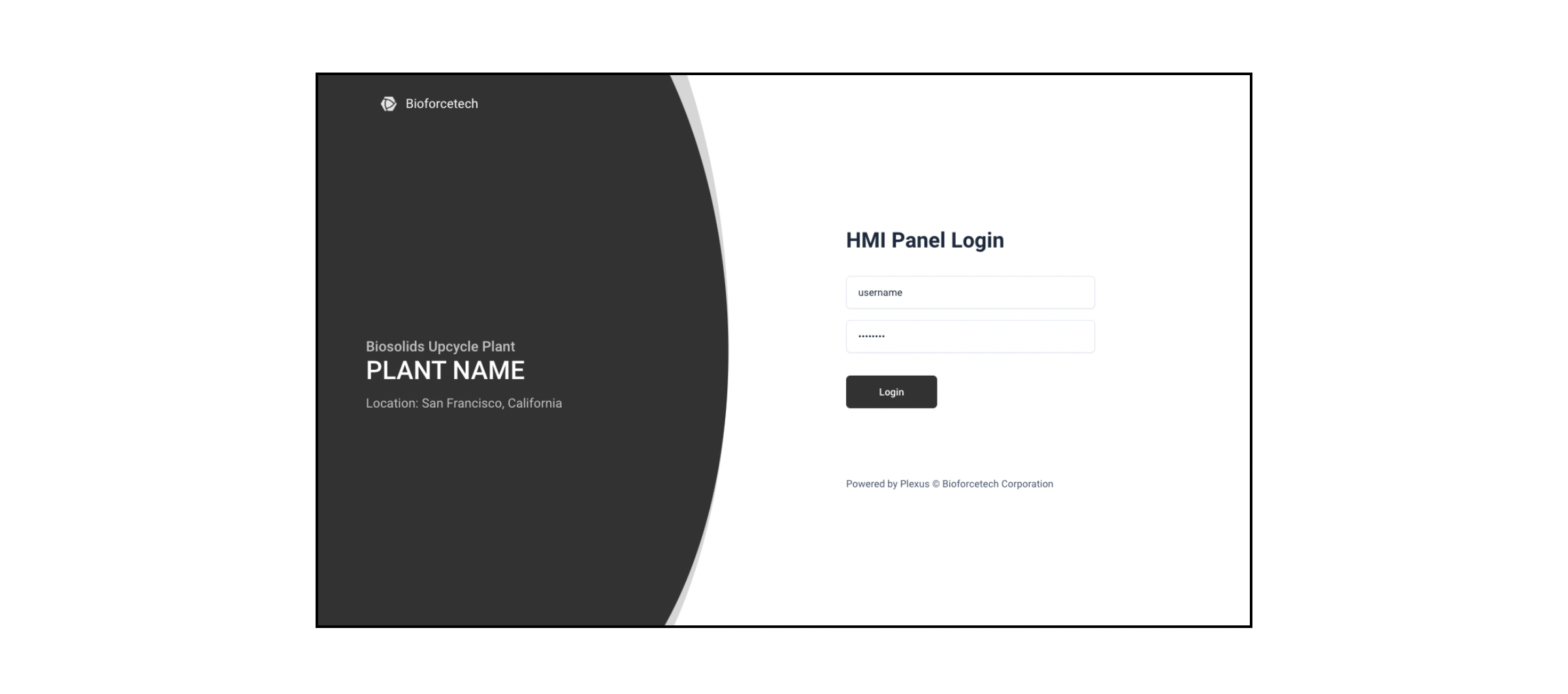
- You will be redirected to the login page of the HMI interface.
At the login page, you will need to enter your credentials. These login credentials—typically a username and password—will be issued to you by your supervisor or directly from Bioforcetech. It is important to keep these credentials secure and not share them with unauthorized personnel to maintain the security and integrity of the BioDryer system. Once logged in, you will have access to control and monitor the BioDryer operations through the HMI interface.
As a best practice, it is essential to log out from the HMI control panel when you have completed your tasks or if you need to leave your computer or device unattended. This precautionary measure is crucial to prevent unauthorized individuals from accessing the HMI and controlling the BioDryer. Unauthorized use could lead to dangerous situations, including potential safety hazards or operational disruptions. Always ensure that the system is secure by signing out after each session to maintain the safety and security of the BioDryer operations.